
S3Drive
announcements

 2
2 2 1 1 2
 1
1
 ️
S3Drive is now available on Flathub: https://flathub.org/apps/io.kapsa.drive which is an alternative to our
️
S3Drive is now available on Flathub: https://flathub.org/apps/io.kapsa.drive which is an alternative to our deb and AppImage packages: https://github.com/s3drive/app/releases
cc @Helios cc @Morethanevil (edited) 1 2 1
1crypt command and adding some unit tests.
If you have some cryptographic experience and/or desire to help out, feel free to comment on this topic: https://github.com/rclone/rclone/issues/7192 and/or test it and/or create some pull requests.
Envelope encryption: https://github.com/rclone/rclone/issues/7192#issuecomment-2208803795
Truncation protection: https://github.com/rclone/rclone/issues/7192#issuecomment-2209236732
Stay encrypted!  S3Drive team (edited)
 5
5 4
4 2
2 2
2 This isn't strict document, but indicates general direction of a project, there will be many features, improvements and/or bugfixes that we'll still squeeze in between.
Please comment in #general, vote in the relevant feature item in our tracker: https://s3drive.canny.io/ (these are linked from the Roadmap itself) or add a new one, so we possibly prioritize it.
Thank you for your enormous support throughout the 2024.
Wishing you a happy, healthy, and abundant 2025!
This isn't strict document, but indicates general direction of a project, there will be many features, improvements and/or bugfixes that we'll still squeeze in between.
Please comment in #general, vote in the relevant feature item in our tracker: https://s3drive.canny.io/ (these are linked from the Roadmap itself) or add a new one, so we possibly prioritize it.
Thank you for your enormous support throughout the 2024.
Wishing you a happy, healthy, and abundant 2025!  S3Drive team 5 1 1 9
Other we would appreciate leaving a comment here: https://s3drive.app/feedback
Feedback form is anonymous, contact details are optional.
It would be great to get your feedback.
Have a nice day! 6
Custom provider button below.
Additionally, you can also enable encryption in Profile Settings for your Rclone configurations (S3Drive will create relevant crypt back-end automatically).
Finally, we've added native support for .ini configuration format. You can now use it with the Custom provider button or through the import/export options.
We hope you enjoy these new features. Stay tuned for more updates!
More about recent changes: https://s3drive.app/changelog (edited)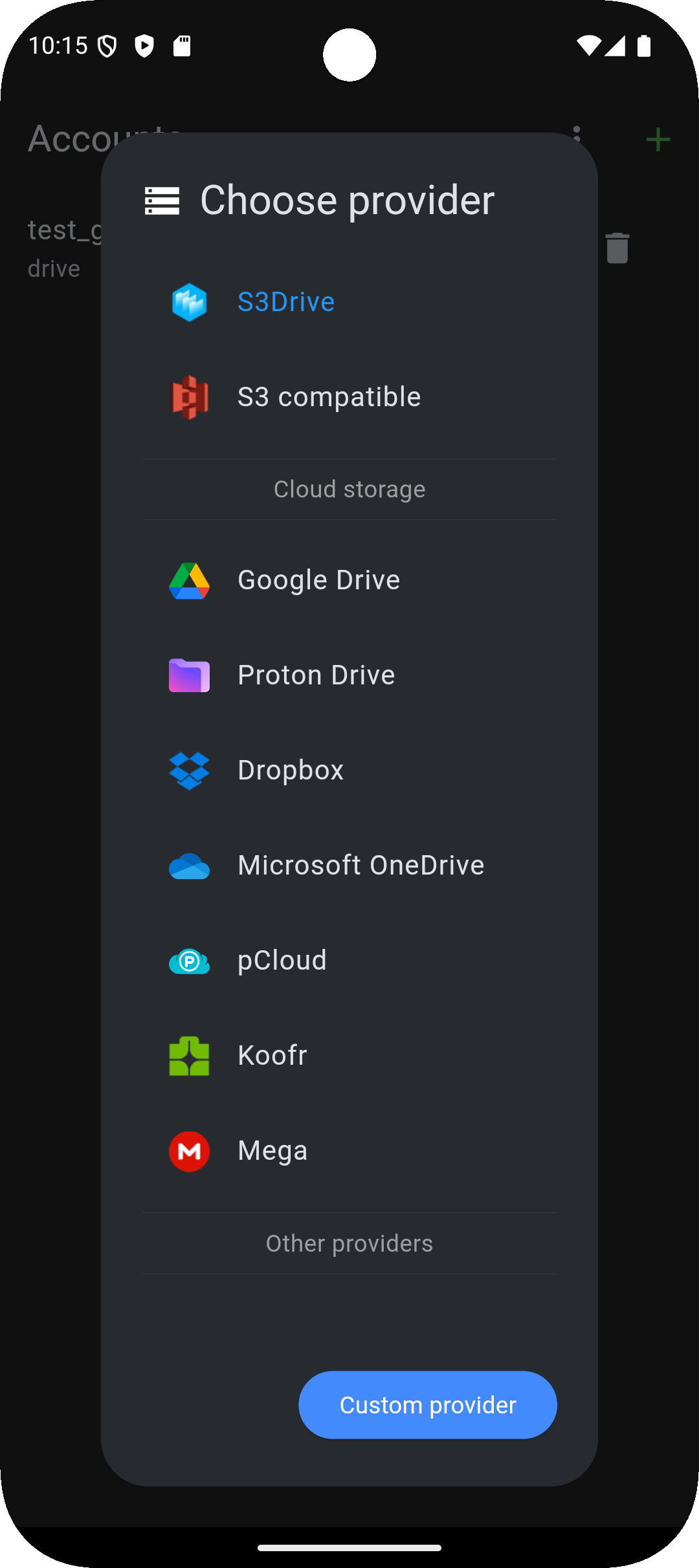
 5 3
5 31.15.9 release, we've rolled out a new feature that should give you a much clearer view of S3Drive transfers. You no longer need to switch back and forth between the dedicated Transfers screen and the File List/Grid view.
This update introduces a prototype unified table, showing all the data that was previously only available on the Transfers screen.
We decided to release this early because it already represents a major improvement over the previous workflow.
In upcoming versions, we'll continue expanding what can be tracked (move, copy, rename, etc.) and improve persistence so transfers are handled more reliably.
We also want to thank you for your generous support during our Black Friday promo - it’s what enables us to keep delivering exciting new features like this.
As always, your feedback is welcome!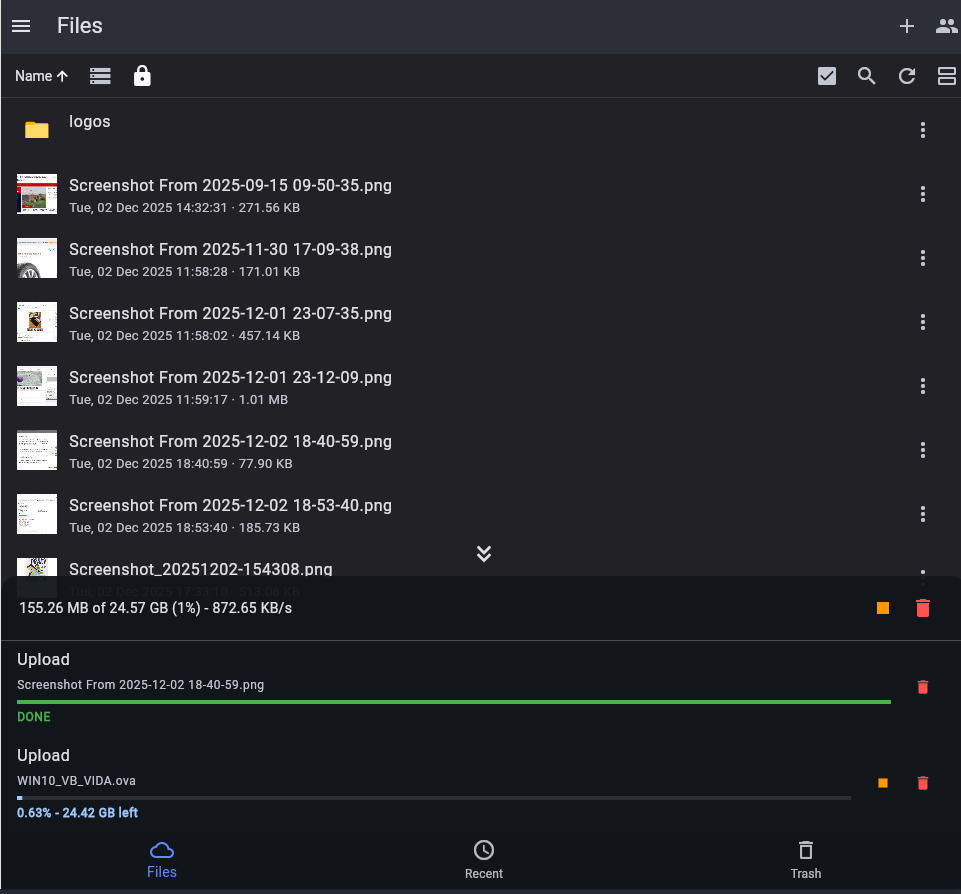 18 9 4
 3
3 19
19 6 4
6 4