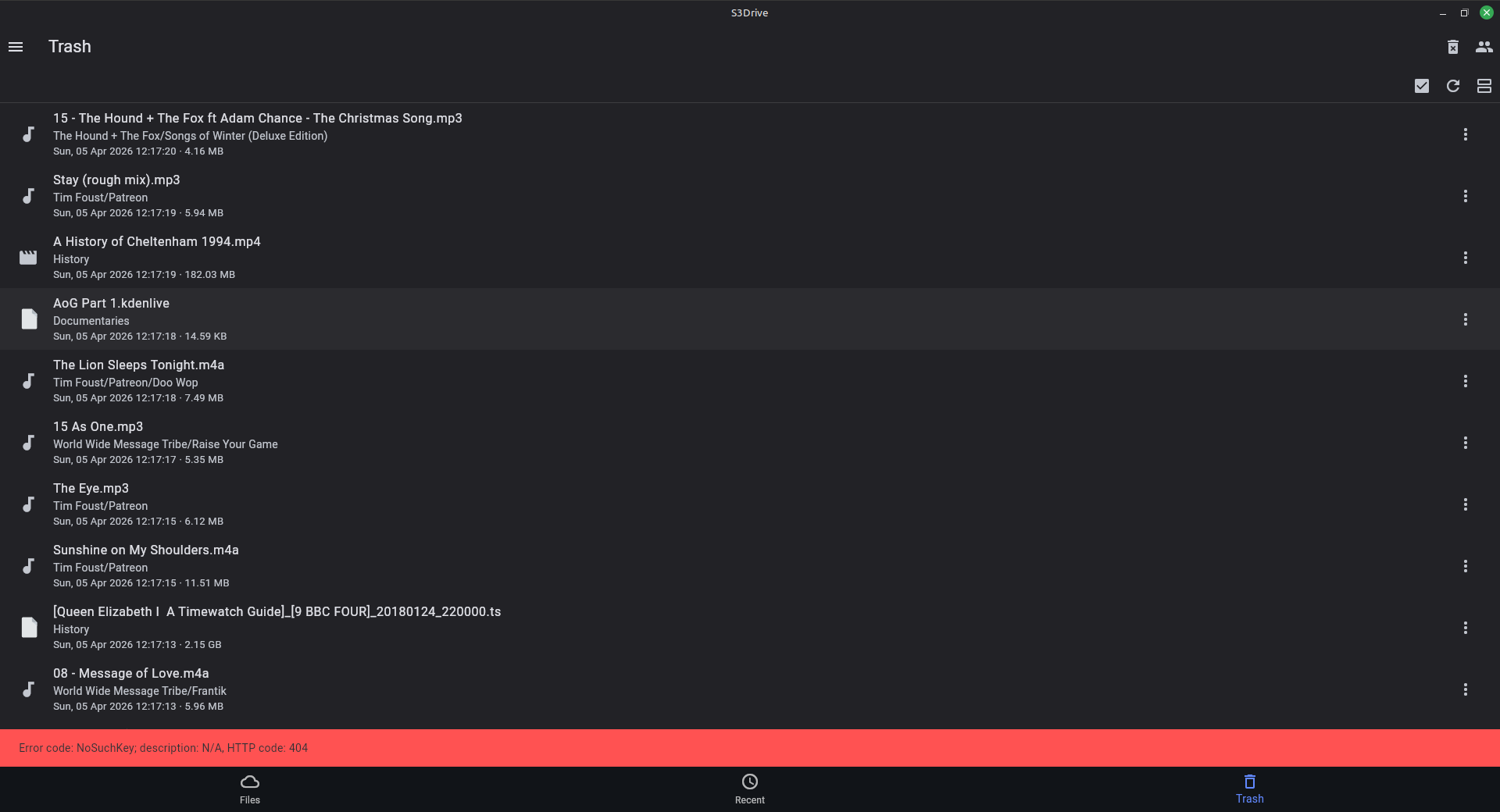
When I updated a few days ago, all my sync settings had disappeared, and I got the same error message Peri0dic1 did. On the other hand, all the files I'd already uploaded were still on my S3Drive filespace.
I didn't have time to look at it then, but having updated again, I now have my sync settings back, but all the files that I uploaded appear to be in my Trash. I have been able to restore some of the files, but there doesn't seem to be a way other than selecting each one individually - even if I go into selection mode, I seem to have to tick each one individually. Is that actually the case?
Also some files are giving me an error message when I try to restore them. One of the files generating the error is the one at the top of the attached screenshot.
ETA - I've restored all of the files I could, and somehow the rest of the files have re-appeared as well, except for the ones that won't restore. I'm currently syncing, to see if they will upload again.
And yes, syncing did upload the awkward files again - they appear to be ones that have + in the path/file name. (edited)