Guild icon
S3Drive
Community / support / Problems with sync
Avatar
You asked me to post about the problems I've been having with sync. It started with me trying to sync a top folder - for example Music - and I set that to sync to the root of the storage, assuming it would create the Music folder and then upload everything underneath it. However, it didn't, it uploaded all the next level folders directly into the root, so I had tens of folders rather than one neat one. The next time I came to try to solve the issue, I found how to make the sync work to a top folder, which was great. Unfortunately somehow, in the process of trying to move the existing next level folders into the Music folder about a thousand files ended up in my trash. My system locked up and I had to restart it, which may have been the problem, but whatever caused it, I just need to restore them and then move them into the top folders. I was trying to do it as quickly as possible and moving lots of folders at once, but if I have to do it one at a time, at least I should hopefully only have to do it once.

Avatar
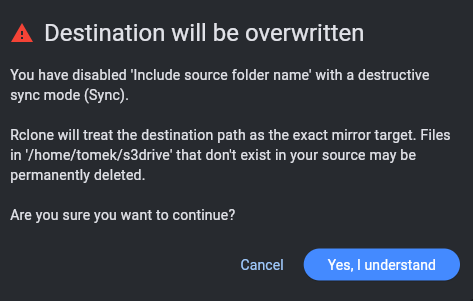
Thanks for sharing your feedback. I will get back to you regarding the Sync / root folder issue, perhaps there is something we can do to improve clarity what app is going to perform and/or add additional warning when Sync mode is selected (as it's potentially destructive). Regarding cleaning up this aftermath, I've posted my comment in reply to: https://discord.com/channels/1069654792902815845/1508159605640003584/1508601492225921114 Thanks! (edited)
Avatar
It started with me trying to sync a top folder - for example Music - and I set that to sync to the root of the storage, assuming it would create the Music folder and then upload everything underneath it. However, it didn't, it uploaded all the next level folders directly into the root, so I had tens of folders rather than one neat one.
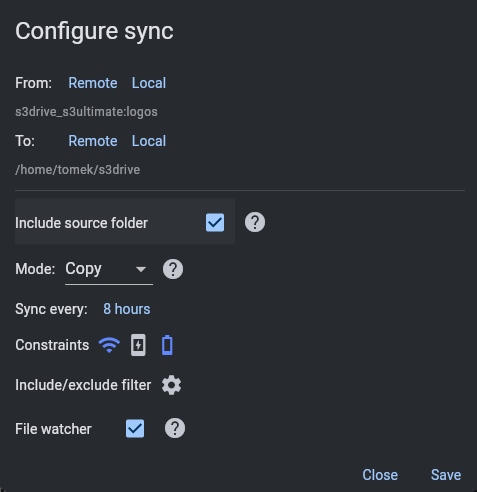
Hi @SallyK We've improved in that area as well. There is default: "Include source folder" setting. There is also warning if you toggle off that setting and choose Sync/Move or other potentially destructive mode. Thanks for your feedback.
(edited)
Exported 3 message(s)
Timezone: UTC+0