Guild icon
S3Drive
Community / support / Offline access and issues with syncing

Avatar
Hello again, I'm using S3Drive 1.17.7 with Proton Drive on Ubuntu 22.04 (installed with .deb). I can see on the FAQs online that since the 1.17 release, I'm supposed to have offline access, and I have purchased the Ultimate plan. However, I just tried turning off the internet and the mounted folder stopped working (it gets into "Loading" state), so I'd like to ask for help understanding whether this is a feature that is just not available for Linux, or whether there's something else I need to do differently. I couldn't find much information online, and going around the app's settings, I also don't seem to find anything either. Thanks! (edited)
Avatar
Hi @Tiago Our Offline relates to this: https://features.s3drive.app/posts/46/offline-licensing-46 which is the ability to use S3Drive features without S3Drive account and activate it offline. This allows users to use S3Drive on internet-restricted environment, LAN or corporate networks, ideally combined with in-house storage solutions. If you want a directory that's available offline, then you can either set it up using Sync or Two-way sync. That would keep whole dataset offline and only sync changes.
S3Drive can be used in a self-hosted mode, being fully offline. The challenge is that paid users (Ultimate, Business) might need 100% offline solutio
Avatar
I see, sorry I misunderstood it. I've been trying to activate the sync function but the app always closes a bit after starting syncing. In settings I activated the option "Debug logs", and I was able to find that s3drive is installed in my laptop under /usr/local/lib/s3drive/; however, I'm not able to find where these logs are being stored such that I can share with you, could you please help? Thanks!
Avatar
Avatar
Tiago
I see, sorry I misunderstood it. I've been trying to activate the sync function but the app always closes a bit after starting syncing. In settings I activated the option "Debug logs", and I was able to find that s3drive is installed in my laptop under /usr/local/lib/s3drive/; however, I'm not able to find where these logs are being stored such that I can share with you, could you please help? Thanks!
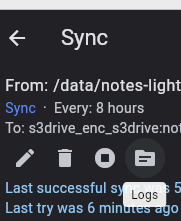
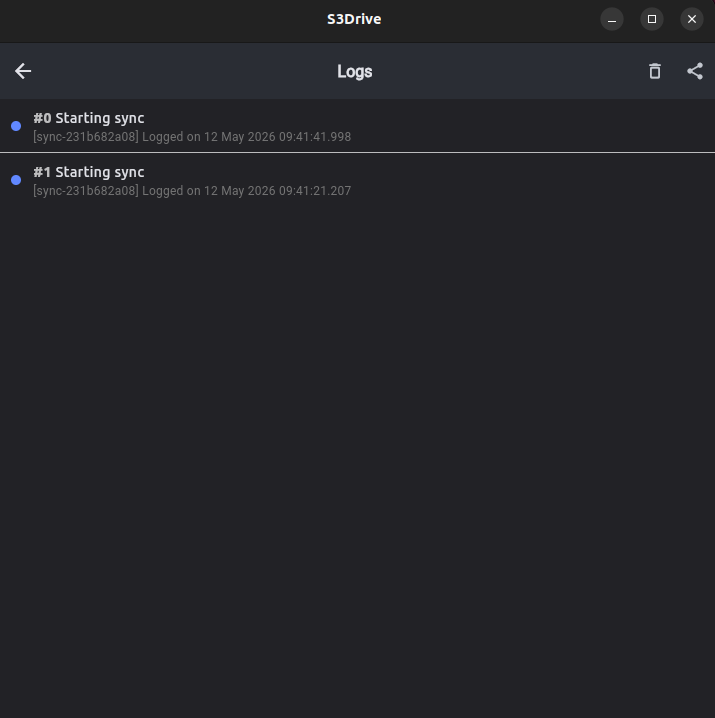
Sync specific logs shall be present in Logs within the specific sync entry.
Avatar
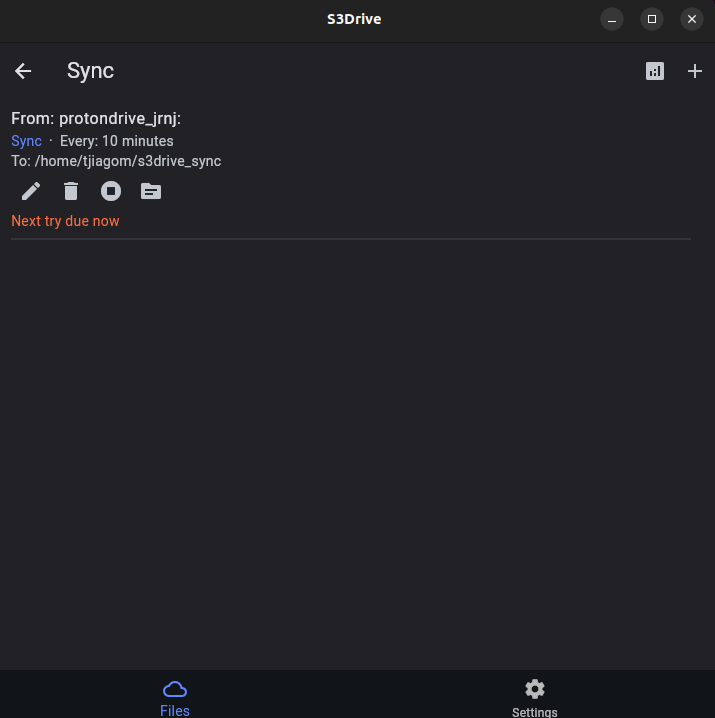
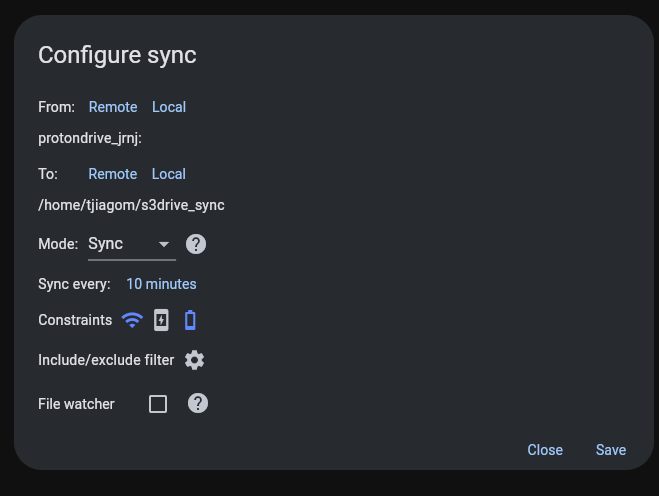
In that case unfortunately I don't have any logs to show really. Here are the printscreens of the configuration I introduced, and what I see after the S3 app shuts down and I open it again. I need to stop the sync because the app just keeps shutting down when I open it. Is there another way we can debug this? Thanks!
Avatar
Avatar
Tiago
In that case unfortunately I don't have any logs to show really. Here are the printscreens of the configuration I introduced, and what I see after the S3 app shuts down and I open it again. I need to stop the sync because the app just keeps shutting down when I open it. Is there another way we can debug this? Thanks!
The alternative would be to start S3Drive from console, on your OS and .deb, that would probably be: /usr/local/lib/s3drive/kapsa and then you should see CLI logs. Once it crashes, is there anything obvious?
Avatar
Here's the output from executing from the terminal. I see some errors from the mounting itself but I believe it's because the app crashed and so the mounting folder was not closed successfully. Towards the end you can see some errors for the sync - I'm not sure how to interpret it
Tiago changed the channel name: Offline access and issues with syncing 5/14/2026 9:31 AM

Avatar
Thanks for the logs. Even though Proton Drive integration is getting better, it seems that it's the Rclone Golang panic error: panic: runtime error: invalid memory address or nil /data/rclone/backend/protondrive/protondrive.go:1002 +0x46 github.com/rclone/rclone/fs/operations.(*ReOpen).open(0xc000bcdc20) /data/rclone/fs/operations/reopen.go:148 +0x109 github.com/rclone/rclone/fs/operations.NewReOpen({0x7f56c2617eb8, 0xc000706aa0}, {0x7f56c26327e0, 0xc0000ffe00}, 0xa, {0xc0007113e0, 0x1, 0x1}) /data/rclone/fs/operations/reopen.go:103 +0x505 github.com/rclone/rclone/fs/operations.Open({0x7f56c2617eb8, 0xc000706aa0}, {0x7f56c26327e0, 0xc0000ffe00}, {0xc0007113e0, 0x1, 0x1}) /data/rclone/fs/operations/reopen.go:125 +0x6b github.com/rclone/rclone/fs/operations.(*copy).manualCopy(0xc0003c2cf0, {0x7f56c2617eb8, 0xc000706aa0}) /data/rclone/fs/operations/copy.go:273 +0x4da github.com/rclone/rclone/fs/operations.(*copy).copy(0xc0003c2cf0, {0x7f56c2617eb8, 0xc000706aa0}) /data/rclone/fs/operations/copy.go:322 +0x170 github.com/rclone/rclone/fs/operations.Copy({0x7f56c2617eb8, 0xc000706aa0}, {0x7f56c2631c80, 0xc000922cc0}, {0x0, 0x0}, {0xc000965fc0, 0x39}, {0x7f56c26327e0, 0xc0000ffe00}) /data/rclone/fs/operations/copy.go:424 +0x4dc github.com/rclone/rclone/fs/sync.(*syncCopyMove).pairCopyOrMove(0xc0007a3b88, {0x7f56c2617eb8, 0xc000706aa0}, 0xc000706910, {0x7f56c2631c80, 0xc000922cc0}, 0x4b, 0x7771792b6c667371?) /data/rclone/fs/sync/sync.go:505 +0x1fe created by github.com/rclone/rclone/fs/sync.(*syncCopyMove).startTransfers in goroutine 67 /data/rclone/fs/sync/sync.go:535 +0x7d Aborted (core dumped) You could technically try running rclone sync <proton> <yourFolder>` on your machine and see if it crashes as well, then it could be reported here: https://github.com/rclone/rclone/issues (edited)

"rsync for cloud storage" - Google Drive, S3, Dropbox, Backblaze B2, One Drive, Swift, Hubic, Wasabi, Google Cloud Storage, Azure Blob, Azure Files, Yandex Files - Issues · rclone/rclone
7:04 PM
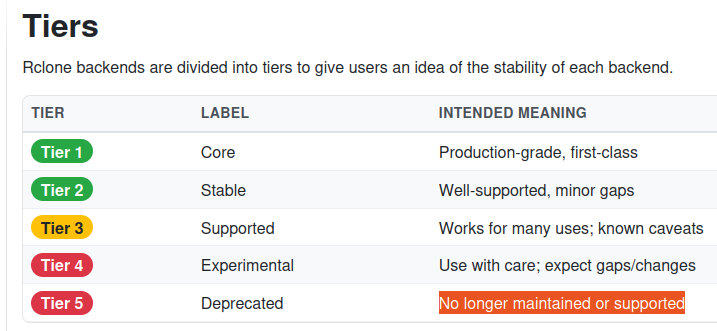
Officialy Proton Drive is Tier 5 at Rclone, despite recent improvements. Situation will likely improve in the near future.
Avatar
Thanks! It seems I don't have rclone installed on my machine. Would you be able to tell me where you'd expect to have the rclone package used by s3drive? I've noticed I have the file /usr/local/lib/s3drive/rclone/librclone.so, but I don't seem to find more than this. Also, sorry for my lack of knowledge, but what do you mean by <proton> in the rclone sync ... command?
Avatar
Hi @Tiago, sorry for the delay. I know this may sound inconvenient, but you would need to install Rclone on your machine: https://rclone.org/downloads/ The one bundled with S3Drive is librclone instead of Rclone CLI, so there isn't really way to use it from the console. then you can type rclone config to get the configured back-end names, it should list both Rclone's (you don't have any, as presumably you didn't use Rclone before) and S3Drive's connection profiles. Based on your screenshots the example command that you could try is: rclone sync protondrive_jrnj: /home/tjiagom/s3drive_sync (edited)

Download rclone binaries for your OS.
Avatar
I think this might be fixed in a most recent Rclone release, I will let you know once we provide update in a few days. Thanks
👍 1
Avatar
Proton Drive issue should no longer be present in our most recent S3Drive version. cc @Tiago
Exported 14 message(s)
Timezone: UTC+0