Guild icon
S3Drive
Community / support / Delete has failed. Error: Bucket not empty

Avatar
s3drivegrinch 12/13/2025 4:50 PM
Trying to delete a bucket for my S3Storage plan I have created. It tells me not empty. I went in, deleted everything, then deleted everything from the trash, tried again and I get the same message. Is this a bug with the UI or am I doing something wrong?
Avatar
s3drivegrinch 12/13/2025 8:45 PM
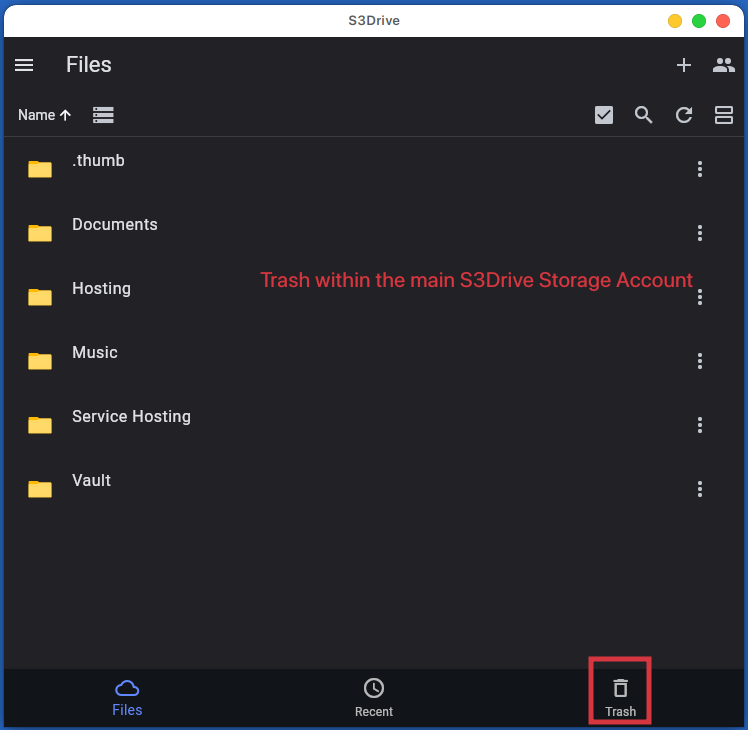
Update: It appears that not only do you have to empty the trash from within the bucket, but also the trash of the S3 Storage Account as well! After emptying both trashes I was able to remove the bucket.
Avatar
s3drivegrinch 12/14/2025 12:38 AM
Just when I though its on track, I have now two buckets left I am unable to delete using the 3Drive UI, latest version. Message now for both is either: Bucket is NOT empty OR Access Denied ?! Very frustrating especially with my OCD to clean things up (edited)
Avatar
Avatar
s3drivegrinch
Update: It appears that not only do you have to empty the trash from within the bucket, but also the trash of the S3 Storage Account as well! After emptying both trashes I was able to remove the bucket.
Thanks for your feedback. We'll need to check that and probably improve the cleanup process or automate some of the deletion.
not only do you have to empty the trash from within the bucket, but also the trash of the S3 Storage Account
Can you let me know what's the difference? I assume first one is the Trash section in S3Drive app. Where's the 2nd one located?
I have now two buckets left I am unable to delete using the S3Drive UI
Can you also try deleting pending multipart uploads? Perhaps they also stop you from deletion. It's in the account settings. Clicking: "Clean all non-latest versions" also won't hurt, as this would delete any leftovers that aren't visible in the file listing. Please also visit Recent section and see if there are any remaining items to delete. If this all fails, can you please send me more details over DM or support@s3drive.app, with the bucket name and account e-mail?
Avatar
s3drivegrinch 12/14/2025 2:12 PM
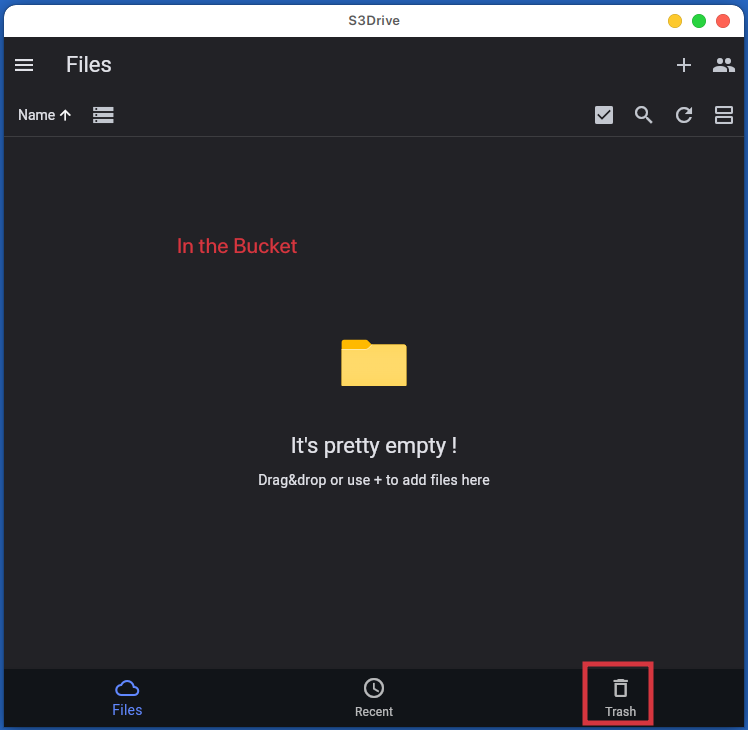
  • First Trash was within the bucket (pic), second was within the main S3Drive Storage account (pic).
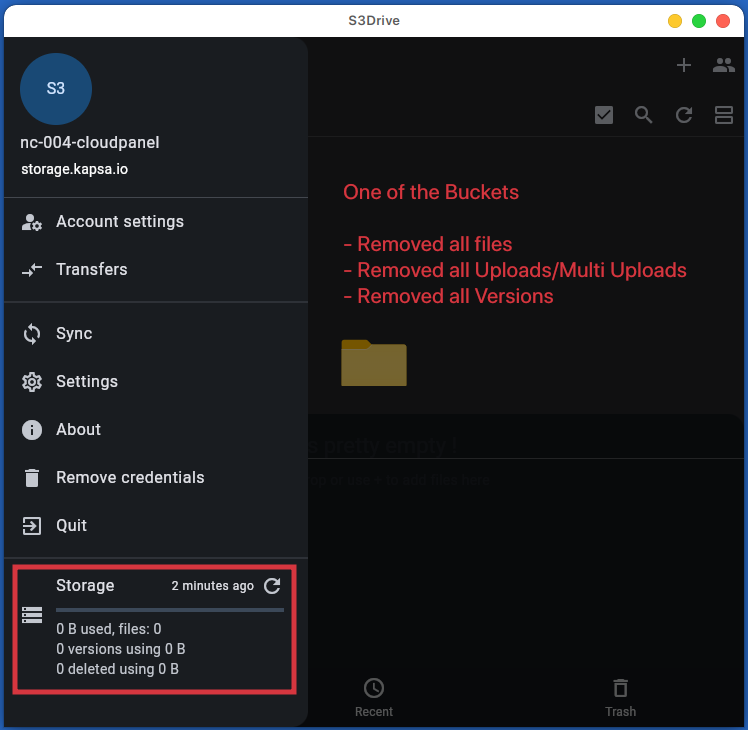
  • No pending multipart downloads & No versions to delete
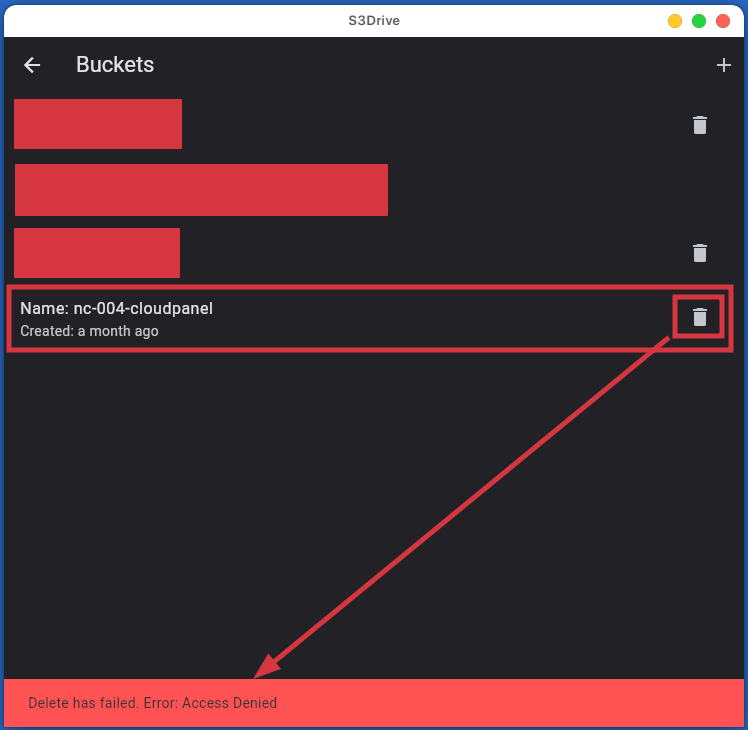
  • Overview of one of the buckets (pic). Trying to delete completely emptied and sanitized bucket (pic)
  • v1.16.0 (build: 10160002)
ps: I also deleted all session and re-added the accounts, no change.
(edited)
Avatar
Hi again, Thanks for your feedback. Have you managed to delete bucket finally? When we've checked our system couple minutes ago there was no bucket under given name. Regarding , Access Denied, the possible root cause is internal session not refreshing correctly. Going to Accounts page and clicking on the account again is sort of force refresh. If it happens persistently please let me know, if it was temporary, sorry, we'll be working on auth improvements (planned for next year).
Avatar
s3drivegrinch 12/16/2025 3:45 PM
The one in the screen is gone. I had to completely sign out and sign back into the app. That one then was able to be removed, the other one is still sticking around. Let me give that one a try now.
Avatar
s3drivegrinch 12/16/2025 3:54 PM
The other bucket was 'cloudron' which I was just able to remove as well. All I did was wait a couple days and re-authenticated. It looks like you pinned down the problem .. I don't see myself needing to remove any other buckets for a while, but it is good to know you are on top of it. Thank you ...
Avatar
Avatar
s3drivegrinch
The other bucket was 'cloudron' which I was just able to remove as well. All I did was wait a couple days and re-authenticated. It looks like you pinned down the problem .. I don't see myself needing to remove any other buckets for a while, but it is good to know you are on top of it. Thank you ...
Thank you for your feedback. I think the issue that we're experiencing is that it takes some time for our system to cleanup files. Even if they're deleted and no longer present on your account, internally they're stored until cleanup process finally deletes them. If bucket was big or many users delete at the same time, it might take couple hours or couple days for this process to catch up. We'll try to make this clearer to the user before we address this issue, so bucket delete can happen immediately after user deletes all files (from their point of view). (edited)
👍 1
Exported 9 message(s)
Timezone: UTC+0