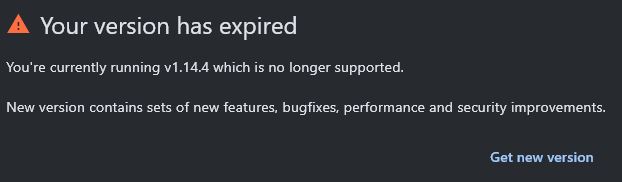
I keep getting this message. I've tried downloading the Windows standalone file and the Microsoft Store apps file. Both download and install correctly. I can see 1.16.0 installed. However, when I open S3, I keep getting this error message. I've also tried uninstalling everything but I can't get past this nag.
Hi @/Chris,
We've had a similar report in the past, turns out user had two separate S3Drive entries on the list of installed programs.
Please check whether you also have two seperate entries and try uninstalling the older one:
https://support.microsoft.com/en-us/windows/uninstall-or-remove-apps-and-programs-in-windows-4b55f974-2cc6-2d2b-d092-5905080eaf98
This is probably caused by Msix installation taking precedence over .exe installation, so regardless if you install newest .exe, the Msix release is started.
Please let me know if that helped to resolved your isssue.(edited)
Uninstall or remove apps and programs in the Settings app.
1
Tom
Hi @/Chris,
We've had a similar report in the past, turns out user had two separate S3Drive entries on the list of installed programs.
Please check whether you also have two seperate entries and try uninstalling the older one:
https://support.microsoft.com/en-us/windows/uninstall-or-remove-apps-and-programs-in-windows-4b55f974-2cc6-2d2b-d092-5905080eaf98
This is probably caused by Msix installation taking precedence over .exe installation, so regardless if you install newest .exe, the Msix release is started.
Please let me know if that helped to resolved your isssue. (edited)



 1
1