Guild icon
S3Drive
Community / support / Android - OOM during upload

Avatar
Hi @Tom, Yesterday, I tried to upload a file larger than 5 GB to an S3 account, but I encountered an out-of-memory exception (without being logged) after approximately 2-3 GB had been uploaded. I tried different Multipart upload settings, but without success. I checked the available memory on my device and had more than 6 GB free during the upload, while S3Drive allocated only about 1,5 GB. I am using Samsung’s Android 16 and it was the only upload running at that time. Could you please look into this? Thanks in advance. Wishing you a Merry Christmas and a Happy New Year. 🎄🎁 🎆
Avatar
I've been having this problem for a long time. Most of the files I upload are around 5GB, so none of them complete the upload. That's why I use the iOS version.
Avatar
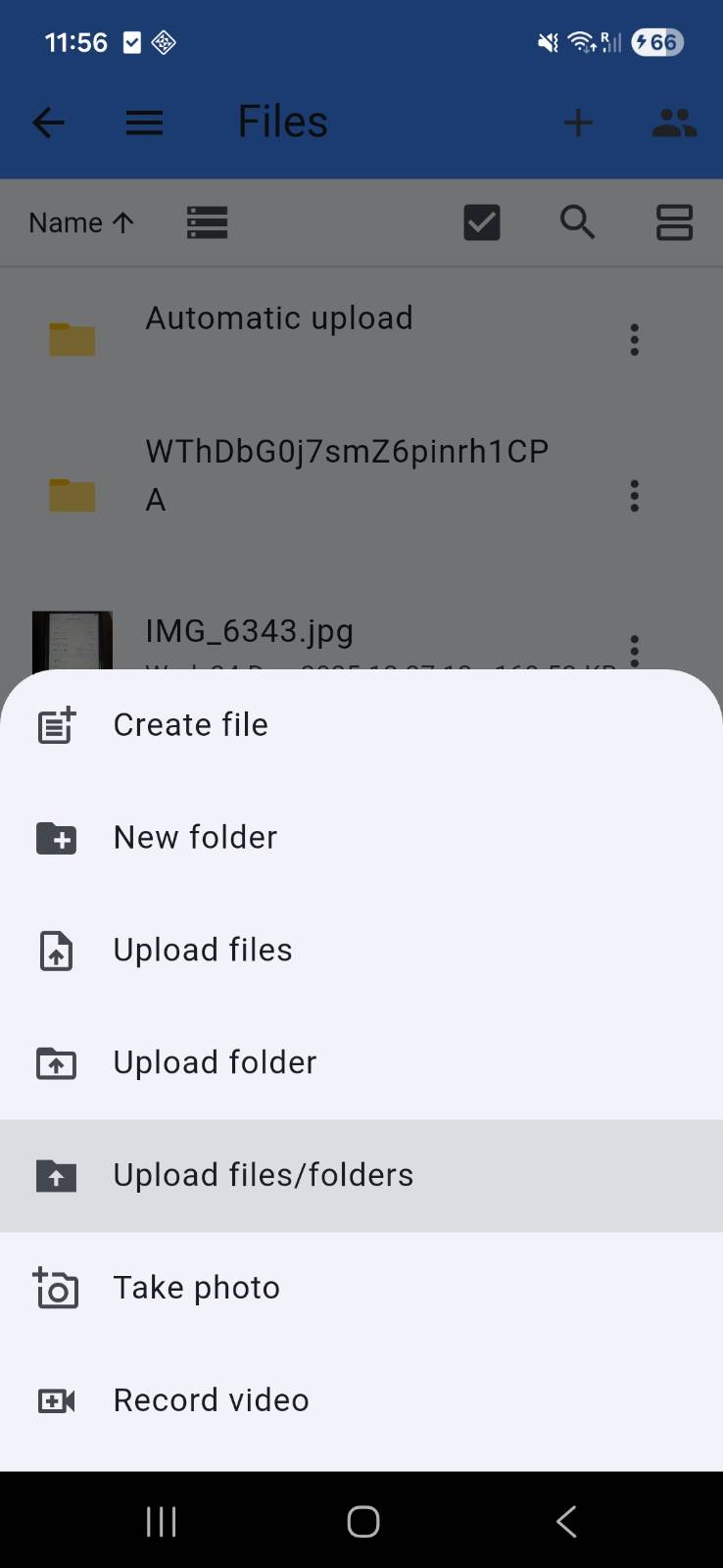
Hi guys, can you try our new: "Upload files/folders" on Android and let us know if this works any better for bigger files? We are willing to resolve these OOM issues on Android once and for all, and that's what we've been focusing on recently.
Avatar
Avatar
Tom
Hi guys, can you try our new: "Upload files/folders" on Android and let us know if this works any better for bigger files? We are willing to resolve these OOM issues on Android once and for all, and that's what we've been focusing on recently.
I will try and let you know. Thanks.
Avatar
Avatar
Tom
Hi guys, can you try our new: "Upload files/folders" on Android and let us know if this works any better for bigger files? We are willing to resolve these OOM issues on Android once and for all, and that's what we've been focusing on recently.
Star Maakun 1/6/2026 1:23 AM
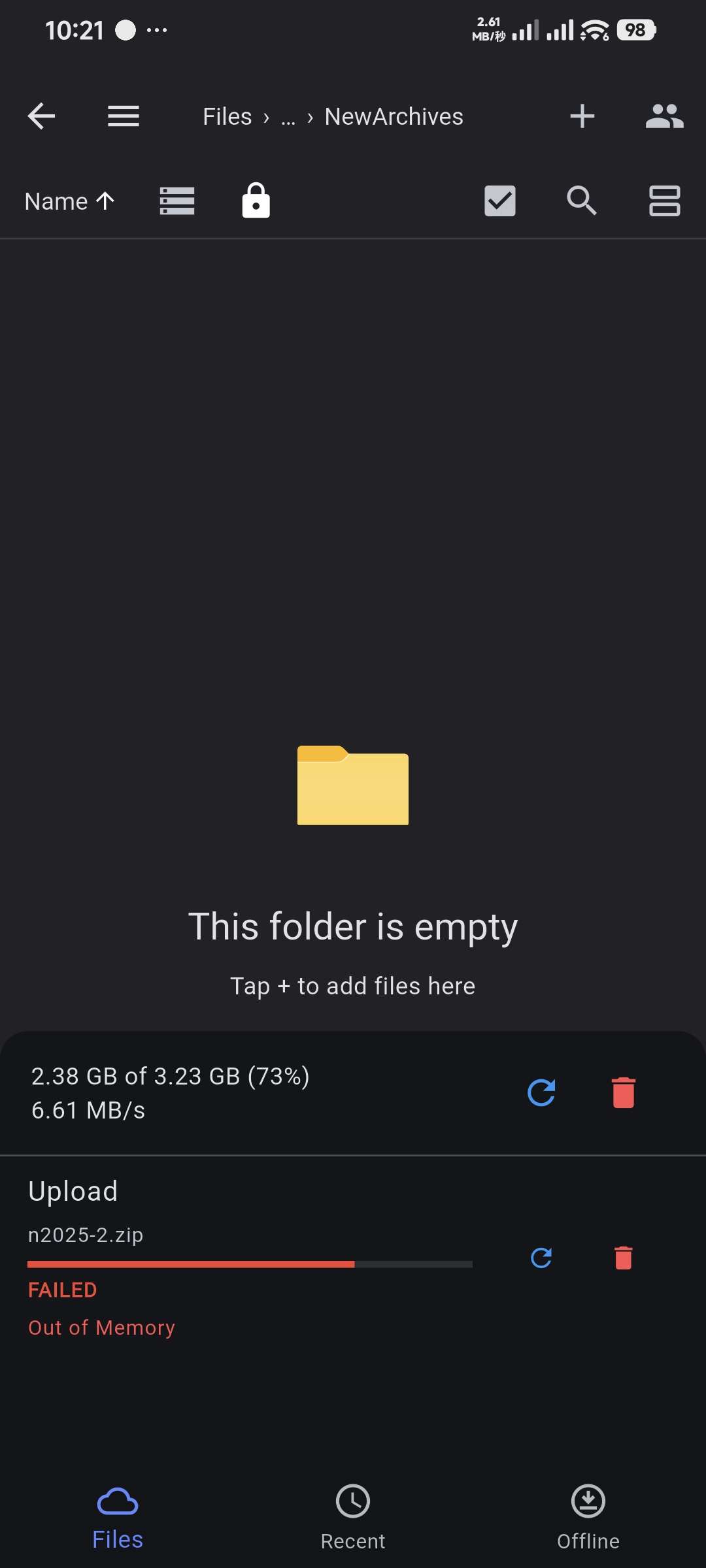
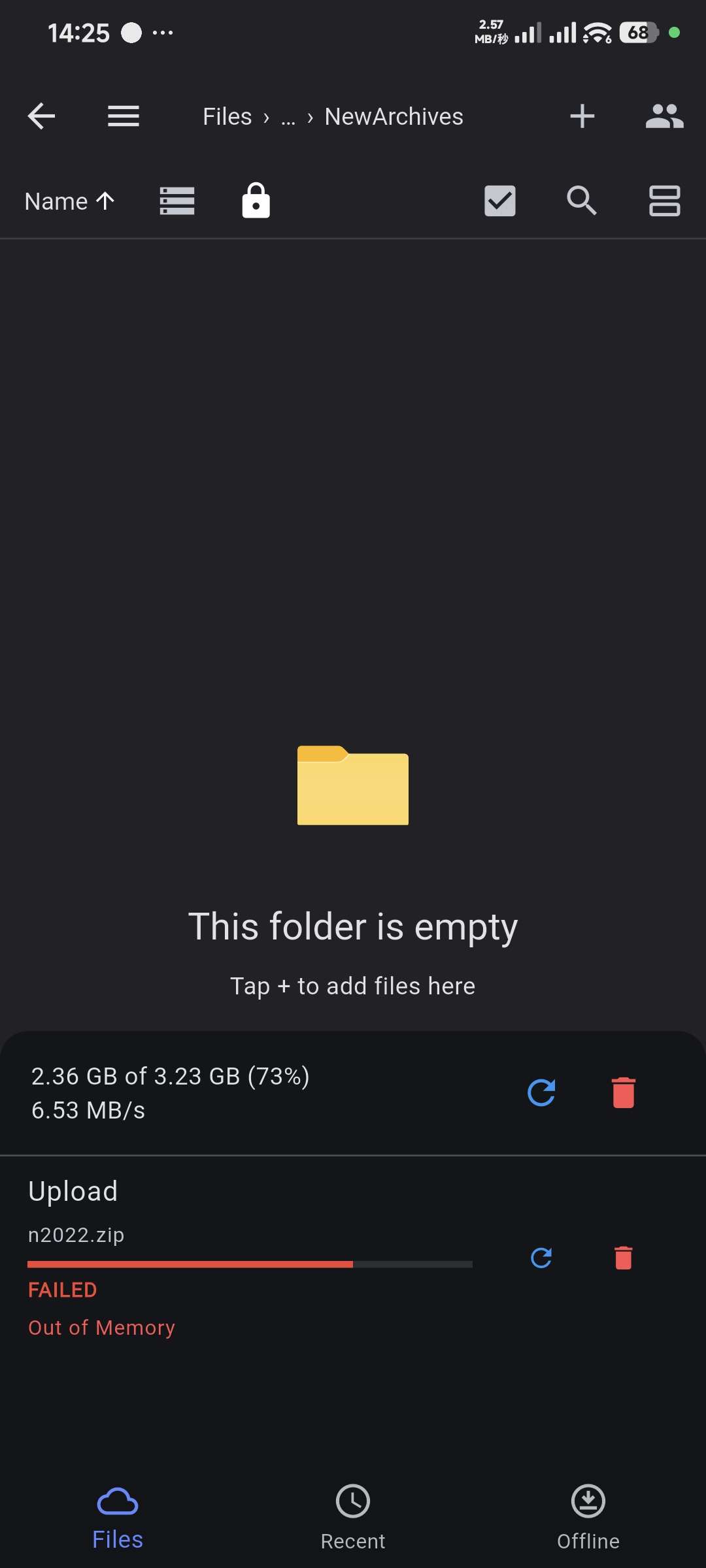
This solved the problem for rclone on Android. On S3, an insufficient memory error was displayed at 2.38GB.
Avatar
Thanks, that's useful. We're looking into this issue and hoping to find the memory problem and resolve it pretty soon.
Exported 6 message(s)
Timezone: UTC+0